Your IT company does not need to know how to perform an eye exam. But if they support an eye care practice, they should understand a lot more than how to fix computers.
They should understand how your practice operates.
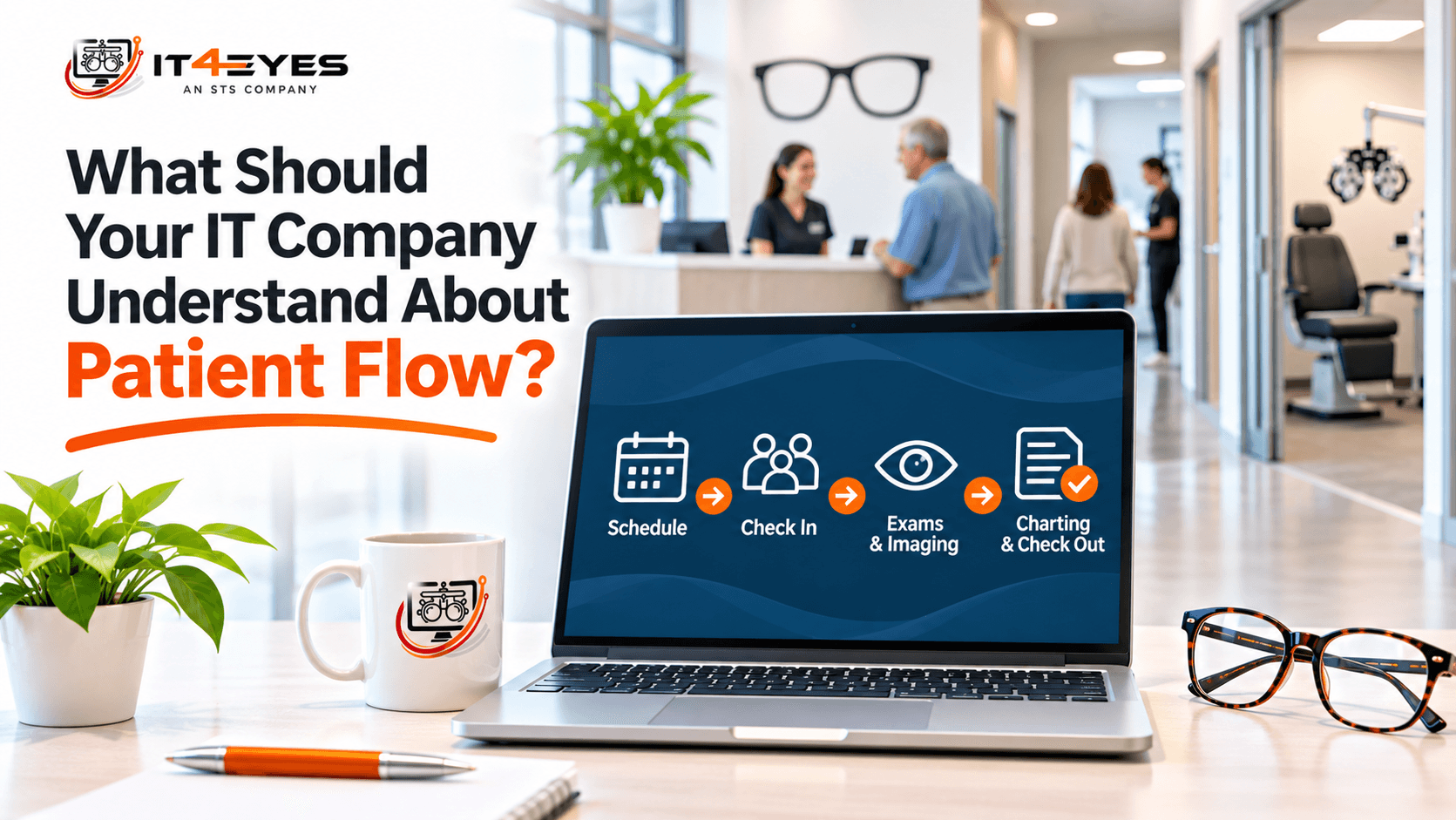
That means knowing what happens from the time a patient schedules an appointment to the time they check out. It means understanding how the front desk, pretesting, imaging, exam lanes, providers, billing, phones, EHR, diagnostic equipment, and other technology all fit together.
A slow front-desk computer can delay check-in. An imaging issue can back up pretesting. A network problem can interrupt communication between systems. An EHR issue can affect several departments at once.
That is why supporting an eye care practice should be about more than keeping devices online. Your IT company should understand how technology supports the entire operation and be able to help keep those moving pieces working together.
Patient Flow Is Connected to Technology From the Beginning
Technology becomes part of the patient experience before the provider ever enters the exam room.
The front desk may rely on the EHR, scheduling software, scanners, printers, phones, payment systems, and other tools before a patient is fully checked in. If one of those systems is slow or unavailable, the delay can begin immediately.
A problem that costs one employee 30 seconds may not sound significant. When the same delay happens repeatedly throughout a full clinic day, the effects start to spread. Patients wait longer, staff feel rushed, and the schedule begins slipping.
An IT provider supporting an eye care practice should understand which systems are involved at each stage and how important they are to the rest of the workflow.
The front-desk computer is not simply another computer. It is part of the check-in process, scheduling, patient communication, and often several other daily functions.
Understanding Eye Care Means Understanding the Whole Office
Supporting an eye care practice goes beyond following the patient from one room to another.
Your IT provider should understand how the whole practice functions.
That includes the front office, providers, technicians, billing, administration, multiple locations if applicable, clinical equipment, vendors, and the systems connecting all of them.
They should understand that changing something on an imaging workstation can have very different consequences from changing something on an ordinary office computer. They should also understand that eye care practices often have technology from many manufacturers and software vendors working in the same environment.
That familiarity can make a significant difference when something stops working.
Instead of beginning every support call by trying to understand what an OCT is or why a specific workstation matters, the IT team already has context for the environment they are supporting.
Diagnostic Equipment Is Part of a Larger Technology Environment
An OCT, retinal camera, visual field analyzer, topographer, or other diagnostic system may look like a standalone device, but there is often much more happening behind the scenes.
The equipment may rely on an attached computer, specialized software, an imaging database, a server, network connectivity, or an integration with the EHR. Patient information may move between several systems before it reaches the place where the provider expects to see it.
When something stops working, the issue may not actually be with the device itself.
It could involve the workstation, network, imaging software, or an interface. The equipment vendor may need to be involved, or the issue may be something the IT team can address directly.
An IT provider familiar with eye care technology understands those relationships and can help determine where the problem is actually occurring.
Your IT Company Should Know the Technology Eye Care Practices Use
Every industry has technology specific to the way it works, and eye care is no different.
Practices may use EHR and practice-management platforms, imaging systems, diagnostic equipment, cloud applications, phones, payment systems, Microsoft 365, specialized software, servers, and many other technologies.
An IT provider serving eye care should be familiar with those systems and how they typically interact.
That does not mean the IT company replaces the equipment manufacturer or becomes the support department for every software vendor. Each vendor still has its own area of expertise.
The value comes from understanding enough about the complete environment to know how the pieces fit together.
If an imaging system stops communicating, the IT provider can investigate the network and workstation side while coordinating with the equipment vendor when needed. If an EHR integration is not working, they can help determine whether the issue is related to the local environment or something the software vendor needs to address.
That familiarity can make troubleshooting much more efficient.
Vendor Coordination Should Not Become the Practice's Job
Eye care practices often work with a lot of technology vendors.
There may be an EHR vendor, multiple diagnostic equipment manufacturers, an imaging software company, a phone provider, an internet provider, and other technology partners.
When something breaks between two systems, the practice can easily get stuck in the middle.
The equipment vendor says the device is working. The EHR vendor says its platform is functioning. The internet provider says the connection is online. Meanwhile, the practice still cannot complete the workflow it needs.
This is where an IT partner that understands the eye care industry and already works well with vendors can take a lot of stress off the practice.
Instead of the office manager spending hours making calls and trying to determine who is responsible, the IT provider can help coordinate the conversation, share technical information, and bring the right vendors together.
The practice should not have to become the technical translator between every company involved.
Good Vendor Relationships Matter
There is a difference between knowing a vendor's phone number and knowing how to work with that vendor.
An IT provider that regularly works in the eye care industry becomes familiar with the vendors, systems, and support processes practices commonly use. That can make troubleshooting and project coordination smoother.
The IT team may already know what information an equipment vendor will need before calling support. They may understand which parts of an installation belong to the vendor and which belong to IT. They may be able to coordinate network requirements before new equipment arrives rather than discovering them during installation.
Those relationships can also be valuable during larger projects such as replacing diagnostic equipment, changing EHRs, opening another location, or moving a practice.
Instead of every vendor working separately, someone is helping look at the entire environment.
Not Every Technology Problem Has the Same Priority
Understanding the practice also changes how support issues are prioritized.
A printer in a back office may be inconvenient. A front-desk workstation that cannot access the schedule has a different impact. A diagnostic system that stops working during a full clinic day may need much more urgent attention.
The technology itself does not tell the whole story. The business impact does.
When an eye-care-focused IT provider hears, "Our imaging system is down," they understand that this could affect pretesting, the provider, several scheduled patients, and the rest of the clinic schedule.
When the front desk says it cannot access the EHR, the support team understands that registration, scheduling, and patient flow may already be affected.
That context helps the IT team respond appropriately instead of treating every issue as an isolated computer problem.
Your IT Company Should Know What Is Critical Before an Outage
Every practice has systems that matter more when something goes wrong.
Which systems have to come back first?
The answer may include the EHR, internet connection, phones, servers, imaging systems, or other tools depending on the practice.
These priorities should be understood before an outage happens.
If the IT provider knows how the practice operates and what different systems mean to patient care, they can make better decisions when several issues need attention at once.
That same understanding also supports backup planning, disaster recovery, and business continuity.
The goal is to avoid figuring out what matters most while the waiting room is already filling up.
Understanding the Practice Helps With Projects Too
Industry knowledge is useful when something breaks, but it may be even more valuable when something is changing.
Imagine the practice is buying a new diagnostic device. There may be computer specifications, network requirements, installation needs, imaging storage considerations, EHR integrations, security requirements, and vendor coordination involved.
If IT is brought into the conversation early and already understands the equipment and workflow, those pieces can be addressed before installation day.
The same applies to an EHR migration, office move, new location, server replacement, phone-system change, or network upgrade.
Technology planning becomes easier when someone understands both the technical environment and the way the practice actually works.
Your Practice Should Not Have to Manage the Technology Puzzle Alone
Eye care practices already have enough moving pieces to manage.
Your office manager should not have to spend an afternoon calling several companies trying to figure out why a diagnostic system is no longer communicating with the EHR.
Your provider should not have to explain to an unfamiliar technician why an imaging issue is affecting the schedule.
Your staff should not need to become experts at determining whether a problem belongs to the network, software, equipment, or another vendor.
That is where an IT partner with eye care experience adds value.
They understand the technology, but they also understand the environment around it. They know the types of equipment and software practices rely on, how those systems tend to connect, how the office flows from department to department, and when another vendor needs to be brought into the conversation.
Most importantly, they can help coordinate those pieces so the practice does not have to.
Good Eye Care IT Is About More Than Fixing Computers
An IT provider does not need to know how to interpret an OCT scan or diagnose a patient.
They do need to understand why that OCT matters to the workflow.
They should know how the front desk connects to the rest of the practice, how imaging and diagnostic systems interact with the technology environment, how providers use the EHR, and how one technology problem can ripple through an entire clinic day.
They should also be comfortable working with the vendors that support those systems and helping coordinate the resolution when responsibilities overlap.
That is the difference between simply providing IT support and truly understanding eye care technology.
The question is not only:
"Does our IT company know how to fix our computers?"
A better question is:
"Do they understand how our entire practice works, the technology we depend on, and how to bring all of those pieces together when we need help?"