
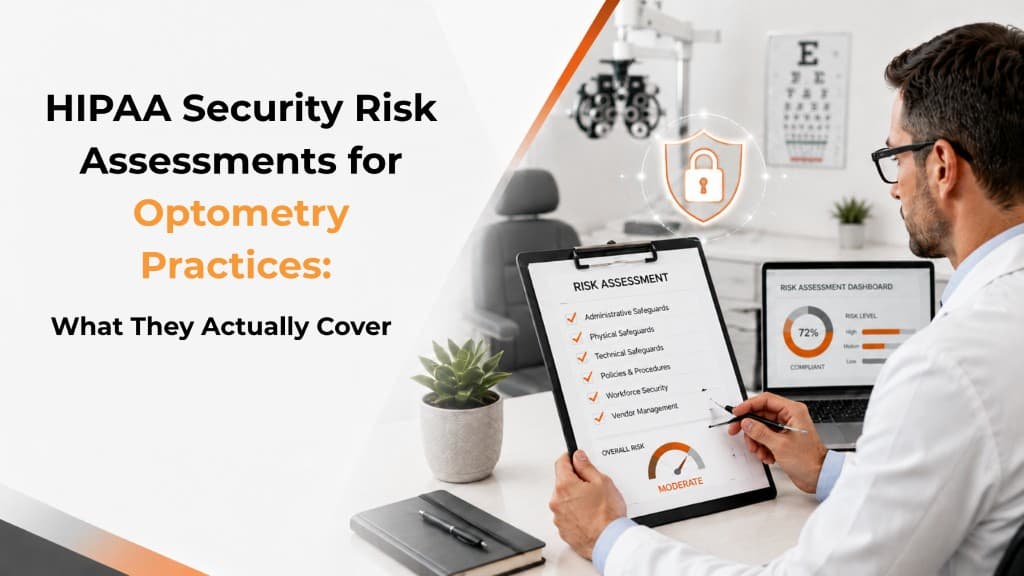
An optometry practice discovers that an aging OCT workstation is still running an unsupported operating system.
The equipment still works. Staff use it every day. Patient images continue moving through the system without an obvious problem.
But there is another question the practice needs to answer:
What risk does that outdated workstation create for electronic protected health information?
That is exactly the kind of issue a HIPAA Security Risk Assessment is designed to uncover.
The challenge is that many practices confuse completing a questionnaire with completing a meaningful risk analysis.
A free assessment tool can be helpful. But a thorough HIPAA Security Risk Assessment should go further by helping the practice understand where electronic protected health information, or ePHI, exists, what could put it at risk, how significant those risks are, and what should be addressed first.
What Is a HIPAA Security Risk Assessment?
The HIPAA Security Rule requires covered entities to conduct an accurate and thorough assessment of potential risks and vulnerabilities to the confidentiality, integrity, and availability of ePHI.
In practical terms, that means understanding:
Where ePHI is stored
How it is accessed and transmitted
Who has access to it
What threats could affect it
What vulnerabilities exist
What safeguards are already in place
What additional protections may be reasonable and appropriate
A HIPAA risk assessment is not simply a cybersecurity scan.
It should consider the broader environment surrounding patient information, including technology, people, vendors, physical safeguards, and everyday business processes.
What Should a HIPAA Risk Assessment Cover in an Eye Care Practice?
Eye care practices often use more connected technology than they realize.
A thorough assessment may need to consider:
Exam-room and front-desk computers
Servers, laptops, and tablets
Visual field and topography systems
Imaging workstations
Email and cloud applications
Remote-access tools
User accounts and permissions
Employee security procedures
The goal is to understand the entire environment surrounding ePHI—not simply whether antivirus software is installed.
A diagnostic workstation, for example, may send information to another computer, communicate with the EHR, store images locally, connect to a server, or depend on remote vendor support.
Each connection can affect the practice's security risk.
Is the Free HHS Security Risk Assessment Tool Enough?
The Office for Civil Rights and the Office of the National Coordinator for Health Information Technology developed a free Security Risk Assessment Tool to help small and medium-sized healthcare organizations work through the risk-analysis process.
It can be a useful starting point.
The tool helps practices consider areas such as administrative safeguards, physical safeguards, technical safeguards, access controls, workforce practices, and information systems.
But there is an important distinction:
Completing the SRA Tool does not automatically mean a practice has completed every step necessary for HIPAA compliance.
The tool helps guide the process. The practice still needs to apply those questions to its real environment, evaluate risks appropriately, document findings, and address meaningful vulnerabilities.
A Completed Questionnaire Is Not the Same as Risk Management
Suppose an assessment identifies a workstation running an unsupported operating system.
That finding is useful, but the work is not finished.
The practice still needs to ask:
What information can the workstation access?
Is it connected to other systems?
Are security updates still available?
What could happen if the device were compromised?
Can it be upgraded?
Does replacing it affect clinical equipment?
Are there safeguards that can reduce the risk?
Who is responsible for addressing it?
When should remediation occur?
That is the difference between identifying a problem and managing a risk.
A strong assessment should help leadership decide what needs immediate attention, what can be addressed later, and what belongs on a longer-term technology roadmap.
Why Eye Care Practices Have Unique Technology Risks
Eye care environments can be especially complicated because multiple vendors often support different parts of the technology environment.
Your IT provider may manage the network and computers.
Your EHR vendor may manage its application.
The manufacturer of your OCT or retinal camera may support another part of the environment.
A cloud vendor may host patient information, while another company provides remote support.
Each vendor may understand its own product without seeing the entire picture.
That creates an important question:
Who is looking across all of it?
A meaningful risk assessment should connect those individual pieces so the practice understands how patient information moves through the environment and where gaps may exist between systems or vendors.
Four Areas Every Practice Should Review
A practical way to approach a HIPAA Security Risk Assessment is to evaluate four connected areas.
1. Technology
Identify systems that store, process, access, or transmit ePHI.
Look at supported operating systems, updates, endpoint protection, encryption, MFA, backups, remote access, and connected clinical equipment.
2. People
Review who has access to patient information and whether that access is appropriate.
Consider administrative privileges, shared accounts, employee onboarding and offboarding, password practices, MFA, security training, and procedures for reporting suspicious activity.
3. Vendors
Identify vendors that receive, store, or access PHI.
Determine whether appropriate Business Associate Agreements are in place and whether security responsibilities are clearly understood.
One common risk is assuming a vendor is responsible for a security control when that responsibility actually remains with the practice.
4. Processes
Policies are important, but practices also need to verify that security activities are actually happening.
Are backups monitored? Are restore tests performed? Are former employee accounts removed promptly? Are user permissions reviewed? Are security alerts investigated?
A written policy provides much less protection if the process behind it is not consistently followed.
What About Unsupported Clinical Equipment?
This issue deserves special attention in eye care.
A diagnostic device may continue working perfectly while the workstation connected to it runs outdated or unsupported software.
From a clinical perspective, nothing appears wrong.
From a cybersecurity perspective, the environment may have changed.
Unsupported systems may no longer receive the same security updates as current technology. But replacing them may not be simple when specialized software or expensive diagnostic hardware is involved.
A good risk assessment should not simply say, "Replace it."
It should help the practice determine the actual risk, whether an upgrade is possible, whether vendor support is available, and whether safeguards such as network segmentation or restricted access can reduce exposure while a longer-term replacement plan is developed.
How Should Risks Be Prioritized?
A useful HIPAA Security Risk Assessment should not produce a giant list where every finding is treated equally.
Risks should be evaluated based on factors such as:
Likelihood: How likely is the threat to occur?
Impact: What could happen if it did?
Exposure: How vulnerable is the practice today?
Existing safeguards: What protections are already reducing the risk?
Operational importance: How important is the affected system to patient care or business operations?
This helps leadership separate urgent risks from issues that can reasonably be addressed over time.
How Often Should an Eye Care Practice Perform a Risk Assessment?
HIPAA does not establish one universal annual deadline for every organization.
What matters is that the risk analysis remains accurate and reflects the practice's current environment.
Practices should revisit risk when significant changes occur, including:
Opening another location
Adding new providers
Replacing servers
Changing EHR systems
Purchasing diagnostic equipment
Introducing new cloud applications
Changing remote-access methods
Working with new vendors
Experiencing a security incident
Many practices also choose to establish a regular review cycle so risk does not go unexamined for long periods.
What Should Happen After the Assessment?
Identifying risk is only the beginning.
The next step should be a practical remediation plan.
Some issues may need immediate attention. Others may be addressed over the next several months. Aging equipment may become part of a future replacement budget, while process gaps may require updated procedures, training, or access reviews.
The assessment should become a working security and technology roadmap—not a document that is completed and forgotten.
A Better Way to Think About HIPAA Risk
A HIPAA Security Risk Assessment should give practice leadership a clearer understanding of:
Where patient information lives
Who can access it
What could put it at risk
Which risks matter most
And what the practice should do next
At IT4Eyes, we help eye care practices evaluate the technology side of HIPAA through the realities of an optometry or ophthalmology environment—from networks, workstations, backups, and cloud applications to connected diagnostic equipment, user access, vendor coordination, and cybersecurity.
The goal is not another compliance document sitting in a folder.
It is a practical understanding of where the practice is exposed and a clear plan for reducing that risk.