
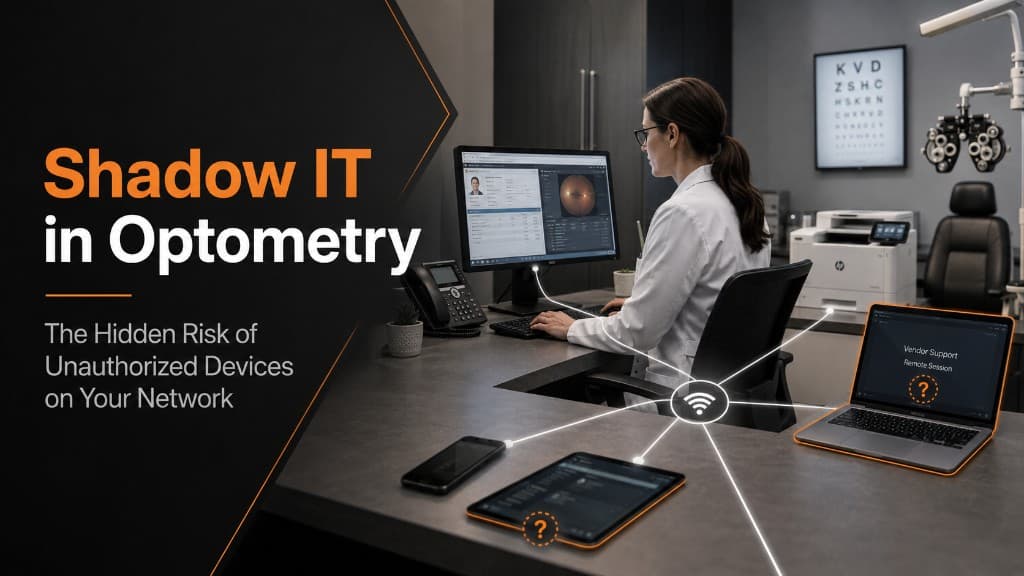
Your cybersecurity program can only protect the technology you know exists.
That sounds obvious, but in many businesses, the official list of computers, devices, applications, and cloud services tells only part of the story.
A personal laptop connects to the office network.
A vendor plugs in a service computer to work on a diagnostic device.
An employee installs an application to make a task easier.
A new printer is added without being documented.
A tablet that was purchased years ago is still connected to Wi-Fi.
A department begins using a cloud-based tool that was never reviewed by IT.
Individually, these decisions may appear harmless. Collectively, they create what cybersecurity professionals often call shadow IT.
Shadow IT refers to technology being used within an organization without the knowledge, approval, or management of the people responsible for IT and cybersecurity.
For an optometry practice, shadow IT can create a significant blind spot.
And in cybersecurity, what you cannot see is difficult to secure.
What Is Shadow IT?
Shadow IT can include far more than an employee downloading an unauthorized application.
It can involve:
Personal laptops and tablets
Employee-owned mobile devices
Unapproved software
Consumer cloud-storage accounts
File-sharing applications
Browser extensions
Printers and scanners
Smart devices
Vendor computers
Diagnostic equipment
Remote-access applications
Old computers that were never formally retired
The common issue is not necessarily that the technology is malicious.
The issue is that it exists outside the organization's normal security controls.
An unmanaged laptop may not have the same antivirus, monitoring, encryption, patching, or access restrictions as a practice-owned workstation.
An unknown cloud service may store information differently from an approved system.
A forgotten device may continue connecting to the network long after anyone remembers why it was installed.
Once technology falls outside your management process, your ability to evaluate and control its risk decreases quickly.
Why Shadow IT Happens
Most shadow IT does not begin with bad intentions.
It usually starts with convenience.
An employee needs to move a file and finds an easy online service.
A manager wants to work from home and uses a personal computer.
A vendor installs software to support a piece of equipment.
A staff member finds an application that solves a workflow problem faster than waiting for an official solution.
In a busy eye care practice, those decisions can be understandable.
Patient care comes first. Schedules are full. Staff members need systems to work quickly and reliably.
The challenge is that convenience and cybersecurity do not always point in the same direction.
The right response is not to tell employees to stop solving problems.
It is to create an IT environment where approved solutions are easy to use, technology decisions have a clear process, and the practice maintains visibility over what connects to its systems.
Why Unauthorized Devices Create Risk
A modern cybersecurity program depends on consistency.
Managed devices can be patched.
They can be monitored.
Security software can be installed.
Access can be restricted.
Configuration standards can be enforced.
Unmanaged devices may have none of those protections.
Consider a personal laptop connected to the practice network.
Has the operating system been updated?
Does it have current endpoint protection?
Is the hard drive encrypted?
Does anyone know who else uses the computer?
Has risky software been installed?
Has it previously connected to an insecure network?
Without centralized management, those questions may be difficult to answer.
The laptop may function perfectly well while introducing a security weakness that no one realizes exists.
That is what makes shadow IT particularly challenging.
The risk is often silent.
Eye Care Practices Have Unique Technology Environments
Optometry practices are especially interesting from an IT perspective because the technology environment extends well beyond standard office computers.
A typical practice may have:
Front-desk workstations
Pretest computers
Imaging systems
OCT devices
Visual field equipment
Fundus cameras
Payment systems
Insurance portals
Printers and scanners
Email and cloud applications
Vendor-connected systems
Many of these technologies come from different manufacturers and may have been installed at different times.
Some may require dedicated computers.
Others may depend on legacy operating systems or vendor-specific software.
Some may occasionally require remote support.
That creates more opportunities for devices to enter the environment without being incorporated into the practice's broader cybersecurity strategy.
A piece of diagnostic equipment may be clinically essential while the computer controlling it receives little attention from a cybersecurity standpoint.
But if that computer is connected to the same network as other systems, it still matters.
Clinical importance does not remove cybersecurity risk.
It makes proper management even more important.
The Vendor Device Problem
One area practices should pay particular attention to is third-party access.
Imagine a technician arrives to service a diagnostic system and connects a laptop to your network.
That device may be legitimate.
The technician may be completely trustworthy.
But from a cybersecurity perspective, several questions still matter.
Who owns and manages the device?
When was it last patched?
What security software is running?
What part of your network can it reach?
Does it actually need network access?
How long will that access remain available?
A mature cybersecurity program does not rely solely on trust.
It creates boundaries.
Vendor access should be intentional, limited, documented, and appropriate for the work being performed.
That protects both the practice and the vendor.
Shadow IT Can Also Be Software
Devices are only part of the problem.
Employees increasingly solve business problems with cloud applications.
An employee may create an account with a free file-sharing platform.
Someone may use an online PDF tool.
A department might begin using a scheduling, messaging, AI, or productivity application without telling IT.
Again, the motivation is usually efficiency.
But the practice may have no idea where information is going.
Before business or patient information is placed into a new service, the organization should understand what that service does with the data, how access is controlled, and whether its use aligns with the practice's security and compliance requirements.
A tool being easy to access does not mean it is appropriate for every type of information.
You Can't Secure What You Don't Inventory
One of the foundations of strong cybersecurity is knowing what you have.
An accurate technology inventory should answer basic questions:
What devices are connected to the practice?
Who owns them?
What operating systems are they running?
What software is installed?
Who is responsible for them?
What information can they access?
Do they still need to be there?
This sounds like a simple administrative exercise.
It is actually a security control.
If an unknown device suddenly appears on the network, someone should be able to identify it.
If a computer has not received updates, it should be visible.
If an old workstation is still communicating even though it was supposedly retired, that should raise a question.
Visibility allows your IT team to move from reacting to problems to managing risk proactively.
Network Segmentation Matters
Not every device should be able to communicate freely with every other device.
This becomes especially important in environments with clinical equipment, guest Wi-Fi, employee devices, and vendor systems.
Network segmentation creates boundaries between different types of technology.
For example, guest devices should not have the same network access as systems handling patient information.
Diagnostic equipment may need access to specific resources without needing unrestricted access to the entire business environment.
Vendor devices may require temporary access to one system rather than broad network connectivity.
Segmentation helps contain risk.
If one device becomes compromised, the goal is to prevent that compromise from becoming a pathway to everything else.
The Goal Is Governance, Not Restriction
The most effective approach to shadow IT is not to ban everything employees have not formally requested.
That usually drives the problem further underground.
Instead, organizations need clear technology governance.
Employees should know:
Which devices may connect to the network
Whether personal devices are permitted
How new software should be requested
Which cloud services are approved
How vendors are given access
Who to contact when a new technology need appears
The process should also be practical.
If getting approval takes weeks, employees will naturally look for shortcuts.
High-quality IT management makes the secure path the easy path.
What a Mature IT Partner Should Be Doing
For a security-conscious practice, technology management should extend beyond fixing computers when something breaks.
Your IT partner should help you maintain visibility into the environment.
That includes knowing which devices are present, managing security configurations, monitoring for unknown systems, controlling access, reviewing aging technology, and identifying areas where unsupported or unmanaged devices create unnecessary risk.
The conversation should not simply be:
"Is the network working?"
It should also be:
"Do we know what is connected to it?"
"Is everything being managed?"
"Should every device have the access it currently has?"
"What has changed since the last review?"
Those questions reflect the difference between basic IT support and strategic technology management.
Shadow IT Is Really a Visibility Problem
The most dangerous technology in your business may not be the computer everyone knows is old.
At least someone knows about that computer.
The greater concern may be the system no one is watching.
The personal device that quietly joined the network.
The forgotten workstation behind a diagnostic device.
The application an employee began using six months ago.
The vendor connection no one removed.
The cloud service that never went through review.
Shadow IT does not necessarily announce itself.
That is why visibility matters.
A strong cybersecurity program starts with knowing what is in your environment, understanding why it is there, and making intentional decisions about how it should be protected.
Because you cannot patch a device you do not know exists.
You cannot monitor an application you do not know is being used.
And you cannot manage risk you cannot see.
For optometry practices, the goal is not more technology.
It is better control over the technology already touching your patients, your data, and your business.