
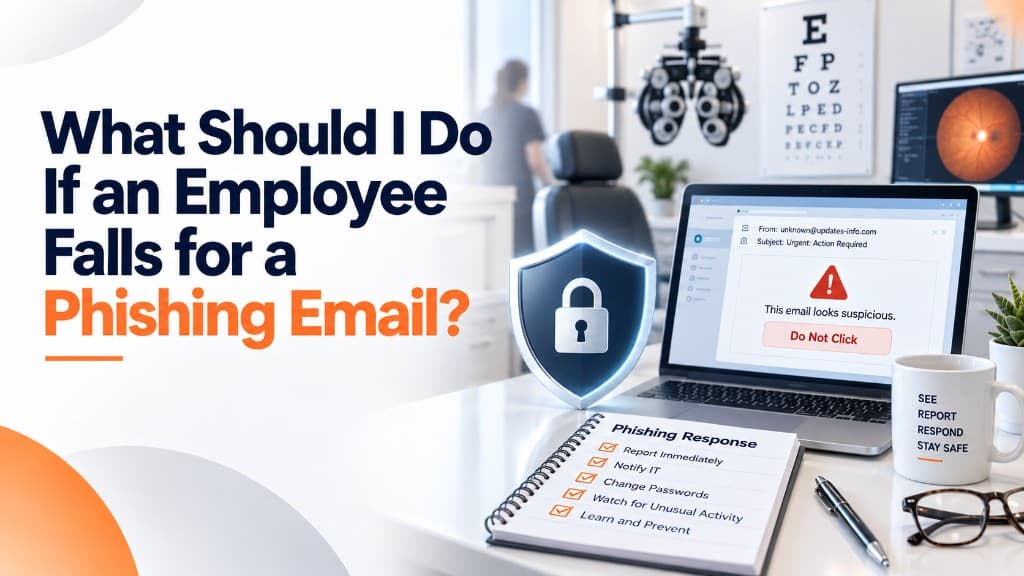
An employee walks into your office.
They look nervous.
Then they say the words no practice owner wants to hear:
"I think I clicked something I shouldn't have."
Maybe they opened an attachment.
Maybe they entered their Microsoft 365 password into a fake login page.
Maybe they approved an MFA request.
Maybe they replied to someone they thought was a vendor.
Maybe they realized something was wrong immediately.
Or maybe it happened yesterday.
What you do next matters.
And one of the most important things you can do is make sure the employee isn't afraid to tell you.
First: Don't Panic—and Don't Ignore It
Clicking a phishing link does not automatically mean your entire practice has been breached.
But you also cannot assume everything is fine because nothing obvious happened.
Phishing attacks are designed to create access.
Sometimes the attacker wants a password.
Sometimes they want the employee to approve an authentication request.
Sometimes the attachment installs malicious software.
Sometimes the attacker wants access to email so they can monitor conversations, steal patient information, redirect payments, or impersonate someone inside the practice.
The first objective is simple:
Find out what happened as quickly as possible.
HIPAA's Security Rule requires covered entities to have policies and procedures for addressing security incidents, including identifying and responding to suspected or known incidents, mitigating harmful effects when practicable, and documenting the incident and its outcome.
That means your practice shouldn't be inventing the response while everyone is panicking.
Step 1: Have the Employee Stop
If the employee suspects something is wrong, they should stop interacting with it.
Don't click the link again "just to show someone."
Don't reply to the sender.
Don't download another file.
Don't keep entering passwords to see whether the login page works.
Don't approve another MFA request.
The less additional interaction, the better.
Depending on the type of incident, your IT provider may also instruct the employee to disconnect the computer from the network or take another containment step.
The important thing is to contact your IT or security team quickly and follow their instructions rather than improvising.
Step 2: Find Out Exactly What They Did
There is a significant difference between:
"I opened the email."
and
"I clicked the link and entered my Microsoft password."
There is another difference between:
"I entered my password."
and
"I entered my password and approved an MFA request."
Your IT team needs accurate information.
Ask the employee:
What did you click?
Did you download anything?
Did you open an attachment?
Did you enter a username or password?
Did you enter or read anyone an authentication code?
Did you approve an MFA request?
Did you provide patient, financial, or business information?
When did this happen?
The goal is not to interrogate the employee.
It's to understand the attack.
Step 3: If Credentials Were Entered, Treat Them as Compromised
If an employee entered their username and password into a phishing page, you should generally assume the attacker may have captured them.
Simply telling the employee:
"Go change your password."
may not be enough.
Why?
Because if an attacker already logged in, an active session may continue even after a password change.
Your IT or security team may need to investigate and take steps such as:
Resetting credentials
Revoking active sessions
Reviewing recent sign-ins
Checking unfamiliar devices or locations
Reviewing MFA methods
Removing unauthorized authentication methods
Reviewing mailbox rules
Examining email forwarding
Checking connected applications
Looking for other suspicious account activity
The exact response depends on what the attacker was able to do.
This is why fast reporting matters.
Step 4: Determine Whether Email Was Actually Accessed
Let's say the employee entered their Microsoft 365 credentials.
Your IT provider checks the account and discovers a successful login from an unfamiliar location.
Now the incident has changed.
You no longer have only a phishing attempt.
You may have an unauthorized person inside the employee's email account.
For an eye care practice, that matters because email may contain protected health information.
Staff may communicate about:
Patient appointments
Referrals
Medical records
Insurance questions
Billing information
Prescription information
Diagnostic reports
Other patient-related issues
That doesn't automatically mean all of those things were accessed.
But the investigation now needs to determine what activity occurred.
Was the attacker in the mailbox for three minutes?
Three hours?
Three days?
Did they open messages?
Search for particular terms?
Create forwarding rules?
Send messages?
Access attachments?
The answers affect what happens next.
Step 5: Look for What the Attacker Changed
One of the dangers of account compromise is that attackers sometimes try to maintain access or quietly manipulate communication.
For example, an attacker may create an email-forwarding rule so certain messages are copied somewhere else.
They may create inbox rules that hide replies.
They may impersonate the employee and ask a coworker to change payment information.
They may begin emailing people from the compromised account.
That is why recovering from phishing involves more than changing the password.
You need to determine what the attacker did while they had access.
Step 6: Determine Whether PHI Was Involved
If protected health information may have been accessed, used, or disclosed improperly, the practice then has a compliance question to address.
That does not mean the employee should decide:
"I don't think they saw anything, so we're fine."
It also doesn't mean every successful phishing attack automatically results in patient notifications.
The practice needs to investigate the incident and determine whether HIPAA's Breach Notification Rule applies.
HHS generally presumes that an impermissible use or disclosure of PHI is a breach unless the covered entity or business associate can demonstrate through the required risk assessment that there is a low probability the PHI was compromised.
That is an area where the practice may need to involve compliance leadership, qualified legal counsel, cyber insurance, and other appropriate professionals.
IT can determine a great deal about what happened technically.
The final legal and regulatory determination should not rest solely on the technician who reset the password.
Step 7: Document What Happened
Once the immediate danger is contained, write it down.
Document:
When the phishing email was received
When the employee interacted with it
When the incident was reported
What information was entered
What accounts or devices were affected
What containment actions were taken
What the investigation found
Whether PHI may have been involved
What corrective actions were taken
Whether additional notifications or reporting were required
HIPAA's security-incident requirements specifically include documenting security incidents and their outcomes.
Good documentation also helps your practice learn from the incident.
Please Don't Make Employees Afraid to Report Mistakes
This deserves its own section.
Yes, employees should receive cybersecurity training.
Yes, they should learn how to recognize phishing.
Yes, clicking a malicious link can create a serious problem.
But if your response is:
"I can't believe you clicked that!"
you may create a bigger problem next time.
The next employee who makes a mistake may wait.
They may spend 30 minutes trying to fix it themselves.
They may delete the email.
They may say nothing and hope the problem disappears.
Meanwhile, an attacker could be using the account.
We would rather hear:
"I clicked something two minutes ago."
than:
"I clicked something last Tuesday and I've been seeing weird things ever since."
Speed matters.
Your culture should reinforce:
Report first. Investigate second.
Then Use the Incident as Training
Once everything is contained, look at what made the phishing message convincing.
Did it impersonate Microsoft?
A doctor?
A vendor?
A patient?
Your EHR company?
A delivery company?
Did it create urgency?
Did it ask the employee to log in?
Was the sender address slightly wrong?
Turn the incident into a teaching opportunity.
Not by embarrassing the employee.
By showing the team:
"Here's what this looked like. Here's what made it convincing. Here's what we want you to do next time."
That makes security training real.
Your Practice Should Already Know Who Gets the Call
Before an employee ever clicks a phishing email, they should know:
Who do I contact?
Not:
"I think Bob handles computers."
Not:
"Maybe I'll ask the office manager tomorrow."
There should be a clear, familiar method for reporting a suspected security incident.
At IT4Eyes, we want employees to contact us quickly when something feels wrong.
We would much rather investigate something that turns out to be harmless than discover a compromised account days later because someone was afraid to bother IT.
Because when an employee says:
"I think I clicked something I shouldn't have,"
the most important thing is not determining who to blame.
It's determining what happened—and stopping it before a small mistake becomes a much bigger incident.